

Desk-work neck and shoulder tension often deserves a two-part response: adjust the workstation and movement habits that keep loading the area, then use massage as an optional comfort-focused wellness service. Massage may help the session feel easier, but it cannot correct an unchanged workstation or diagnose persistent symptoms.
Start with the pattern. Notice when discomfort begins, which tasks make it worse, whether it changes away from the desk, and whether you have warning signs such as weakness, numbness, major swelling, fever, trauma, chest pain, or trouble breathing.
Quick Answer: Where Should You Start?
Make the desk easier to use first. OSHA's computer-workstation guidance emphasizes a head and neck balanced with the torso, relaxed shoulders, elbows close to the body, supported feet, and a monitor positioned directly in front. Then decide whether a comfort-focused massage fits your preferences and health history.
| What you notice | First practical step | Massage decision |
|---|---|---|
| Tension builds during long computer sessions | Check monitor, chair, keyboard, mouse, and task breaks | Consider massage for comfort while also changing the repeated load |
| Shoulders stay raised to reach the desk or armrests | Adjust the chair, desk, and arm support | Tell Lewis exactly where fatigue develops |
| Symptoms are sudden, severe, traumatic, or neurological | Seek qualified healthcare guidance | Do not use massage to delay assessment |
Why the Workstation Still Matters
Massage changes what happens during a scheduled session. Your desk determines what your body repeats for hours. A monitor off to one side, a mouse placed too far away, unsupported feet, or armrests that lift the shoulders can keep asking the same tissues to work in an awkward position.
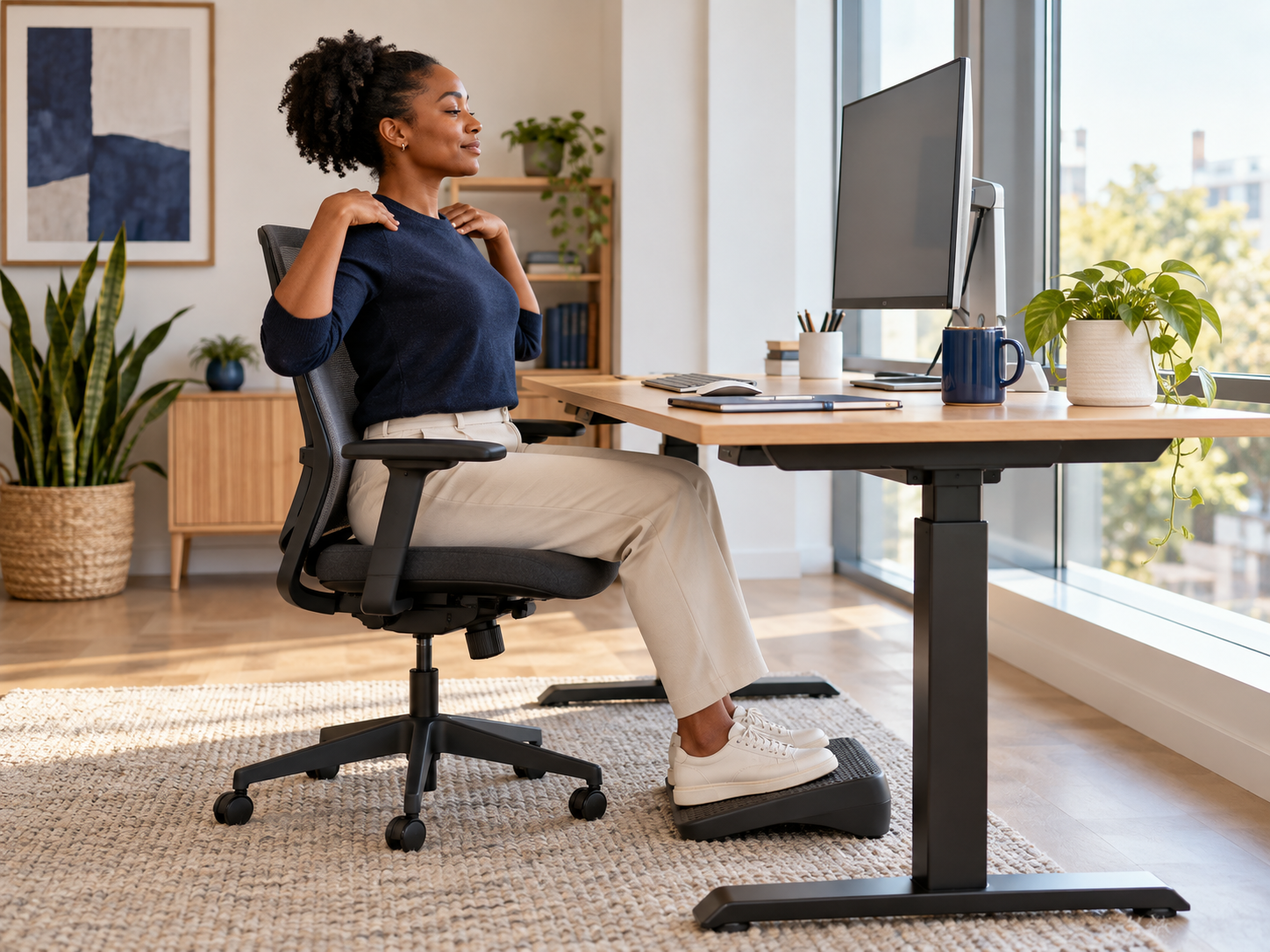
A useful setup is adjustable rather than rigid. Aim for a forward-facing head and torso, relaxed shoulders, elbows near the body, supported feet, and room to change posture. No single posture needs to be held perfectly all day.
When Massage May Fit
Massage may fit when your goal is relaxation, a calmer sensory experience, or hands-on work for everyday muscle tension. Describe your desk routine, preferred pressure, sensitive areas, and previous response to massage before the session begins.
More pressure is not automatically more useful. Lewis can adjust pace, focus, and pressure during the visit. If an area feels sharp, electric, numb, or unusually sensitive, say so immediately.
Ready to discuss a comfort-focused session?
Bring a short description of your workday, the areas that feel tired, and the pressure you normally prefer.
A Simple Desk-Reset Checklist
Use this checklist as a starting point, not a diagnosis or a promise that symptoms will disappear.
| Area | Check |
|---|---|
| Monitor | Directly in front so the head, neck, and torso can face forward |
| Shoulders and arms | Shoulders relaxed, elbows close, and frequently used items within easy reach |
| Chair and feet | Back supported and feet supported by the floor or a footrest |
| Work pattern | Change posture and task position periodically instead of holding one position all day |
Match the Changes to Your Workday
Start with the part of the day when your neck or shoulders first feel tired. If you turn repeatedly toward a second screen, move that screen closer to the work you use most. If your shoulders rise when you type, check the chair height, arm support, and the reach to the keyboard and mouse. If your feet do not rest comfortably, adjust the chair or use a stable footrest. These are practical setup checks, not a diagnosis.
Change one part of the setup at a time and notice whether daily tasks feel easier. A different chair position may help one task and feel awkward for another. OSHA's workstation guidance offers flexible design goals and says there is no single posture that fits everyone. Give yourself room to vary position and step away from the same task during the day.
Plan a Massage Visit Around Your Goal
Tell Lewis whether you want a relaxing session or focused attention to areas that feel tired after computer work. Point out the location, describe the pressure you prefer, and say if you have had an uncomfortable response to massage before. You can ask for a lighter approach or a change of focus during the visit. A session can be about comfort without promising that it will correct posture or resolve a medical condition.
If symptoms are new, severe, persistent, or accompanied by weakness or numbness, speak with a qualified healthcare professional before treating massage as the next step. NCCIH advises against using massage to delay care for a medical problem. For an ordinary wellness visit, use the booking page to choose a session and discuss your goals before hands-on work begins.
When Massage Should Wait
Do not use massage to postpone healthcare evaluation for a new or concerning problem. Seek qualified guidance for symptoms after trauma, new weakness or numbness, loss of function, major swelling or redness, fever or illness, chest pain, trouble breathing, fainting, or symptoms that are severe, worsening, persistent, or unusual for you.
The National Center for Complementary and Integrative Health advises discussing massage with a healthcare provider when you are unsure whether it is appropriate. Share relevant health information with the massage therapist before the session.
Frequently Asked Questions
No. Massage may support comfort, but it does not redesign the workstation or control the posture and reach patterns repeated throughout the workday.
There is no universal best pressure. Choose a tolerable level that matches your goal and adjust it during the session. Sharp or escalating discomfort is not a requirement.
Frequency depends on preference, response, schedule, and budget. Start with one visit and decide from your actual experience rather than committing to a fixed plan.
Seek qualified care for severe, worsening, persistent, traumatic, neurological, or otherwise unusual symptoms, and urgently for chest pain, trouble breathing, fainting, or another emergency concern.
Plan Massage Around Your Real Workday
Tell Lewis how long you sit, which equipment you use, where tension builds, and what pressure feels comfortable. The goal is an attentive session without pretending massage replaces workstation changes or healthcare.
Healing Hands Holistic Care is located at 610 Uptown Blvd, Suite 4200, Cedar Hill, TX 75104. Call 469-415-4476 with scheduling questions.
Massage is a wellness service and is not a substitute for medical evaluation, diagnosis, treatment, rehabilitation, or ergonomic assessment.
References
- Occupational Safety and Health Administration. Computer Workstations eTool. Accessed October 18, 2026.
- Occupational Safety and Health Administration. Computer Workstation Evaluation Checklist. Accessed October 18, 2026.
- National Center for Complementary and Integrative Health. Massage Therapy: What You Need To Know. Accessed October 18, 2026.